



Hybrid Application (Flutter) 05 Oct 2026
How AI Features Are Being Built Into Flutter Apps in 2026

Written by Kalpesh Prajapati
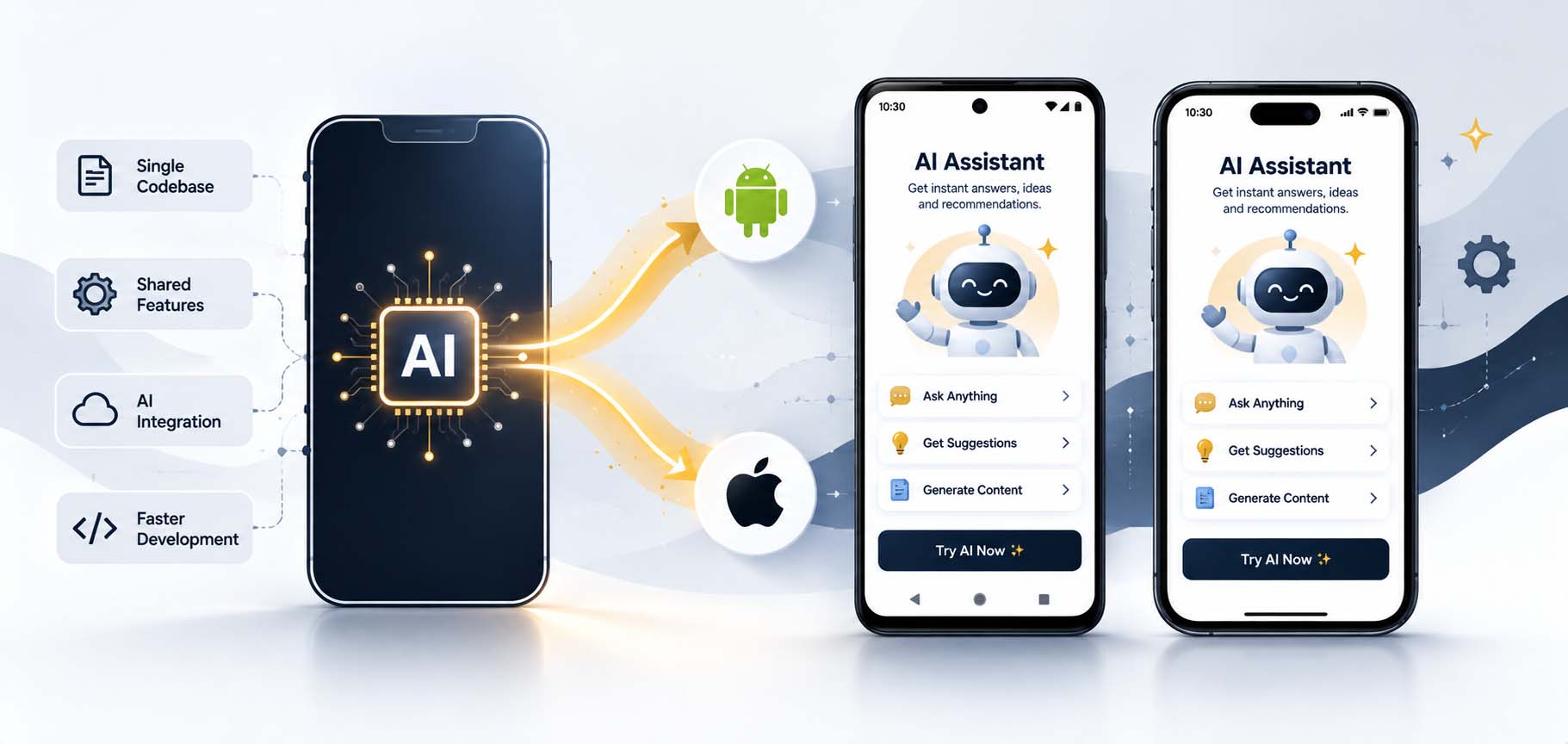
Cross-platform development used to mean a tradeoff: one codebase for both Android and iOS, but often a step behind native apps on cutting-edge platform features, including AI. That gap has narrowed considerably. Flutter apps in 2026 are shipping with genuinely useful AI capabilities, smart search, personalized recommendations, on-device processing, without giving up the core efficiency benefit that made businesses choose Flutter in the first place: one codebase, two platforms.
For businesses already building or planning a Flutter app, understanding what’s realistically achievable, and what still needs careful planning, makes the difference between an AI feature that genuinely helps users and one that adds cost without adding much value.
Why Flutter Is a Natural Fit for AI Features Across Platforms
Because Flutter apps share a single codebase across Android and iOS, an AI feature built once can reach both platforms simultaneously, rather than needing separate implementations for each. This matters specifically for AI, where integrating a machine learning model or a cloud-based AI service used to mean duplicating that integration work across two entirely separate native codebases. Flutter’s growing ecosystem of AI-focused plugins and packages has made this integration significantly more straightforward than it was even a couple of years ago, letting a single implementation genuinely serve users on both platforms.
What AI Capabilities Are Available to Flutter Apps Today
Flutter apps can now tap into on-device machine learning through frameworks like Google’s ML Kit, supporting features like text recognition, image labeling, and language identification directly on the device without needing a network call. For more advanced capabilities, natural language processing, generative AI features, personalized recommendations, Flutter apps commonly connect to cloud-based AI services through API calls, giving developers access to significantly more powerful models than what can run efficiently on a phone alone.
On-Device vs Cloud AI in a Cross-Platform Context
The same on-device versus cloud tradeoff that applies to native app development applies to Flutter as well, but with an added wrinkle: on-device AI capabilities can sometimes behave slightly differently across Android and iOS, since each platform’s underlying hardware and machine learning frameworks aren’t identical. This means testing on-device AI features across both platforms separately remains important, even within a single Flutter codebase, to confirm consistent behavior and performance for users regardless of which phone they’re using.
Cloud-based AI features sidestep this platform inconsistency since the processing happens on a server rather than the device itself, but they introduce their own considerations: ongoing API costs, network dependency, and slightly higher latency compared to on-device processing.
Practical AI Features Businesses Are Adding to Flutter Apps
Common additions include AI-powered chat support that handles routine customer questions across both platforms from a single implementation, smart search that understands natural language queries rather than requiring exact keyword matches, personalized content or product recommendations based on user behavior, and image recognition features, useful for anything from visual product search to document scanning, built once and available to users on both Android and iOS simultaneously.
Challenges of Adding AI to a Cross-Platform App
Performance is worth watching closely: a poorly optimized AI feature can affect app responsiveness differently across device types, since Flutter apps run on an enormous range of Android hardware in particular, alongside a more limited but still varied range of iOS devices. It’s also worth confirming that any third-party AI plugin used is actively maintained and genuinely supports both platforms equally well, since Flutter’s plugin ecosystem, while extensive, does include packages with inconsistent cross-platform support that can create unexpected platform-specific bugs down the line.
What to Plan for Before Adding AI to Your Flutter App
Before committing to an AI feature, it’s worth clarifying whether on-device or cloud-based processing fits the use case better, testing the chosen approach across a genuinely representative range of Android and iOS devices rather than just a couple of flagship phones, and modeling the ongoing cost if the feature relies on paid API calls at a realistic future user scale, not just during initial testing with a handful of users.
How Kanopus Approaches AI in Flutter Projects
We evaluate each proposed AI feature against the actual user problem it’s meant to solve before deciding whether it belongs in a Flutter build, and we test AI functionality across a genuinely representative device range on both platforms before launch, not just the newest flagship phones. Where cost matters, we model realistic usage scenarios upfront so a business understands the ongoing cost of a cloud-based AI feature before committing budget to it.
Why Testing Matters More for AI Features Than Standard Ones
Standard app features generally behave predictably once tested; a button either works or it doesn’t, a form either submits correctly or it doesn’t. AI features are inherently less predictable, an AI-powered search or recommendation feature can behave differently depending on the specific input, the device it’s running on, and even subtle variations in network conditions when cloud-based processing is involved. This unpredictability means AI features genuinely need broader, more varied testing than standard functionality before they’re trusted with real users, testing across a wider range of realistic inputs, not just the clean examples used during initial development.
Businesses adding AI to a Flutter app should expect, and budget for, a more thorough testing phase specifically for AI features compared to the rest of the app. Skipping this step to save time is one of the more common reasons AI features end up feeling unreliable or oddly inconsistent once real users start interacting with them in ways the original testing never anticipated.
Keeping Your Flutter App’s AI Features Sustainable Long-Term
AI models and services evolve quickly, and an AI feature that works well today may need updates as underlying models change, as usage patterns reveal edge cases the original design didn’t anticipate, or as costs shift with provider pricing changes. Building a Flutter app with this in mind, keeping AI integrations reasonably modular rather than deeply hardwired into the core app logic, makes it significantly easier to update, replace, or improve an AI feature later without requiring a disruptive rebuild of the surrounding app.
Why the Cross-Platform Advantage Still Matters Here
It’s worth stepping back to appreciate what’s actually being achieved here: businesses can now offer genuinely competitive AI features to both Android and iOS users from a single development effort, at a fraction of the cost and time it would take to build and maintain the same capability twice in separate native codebases. This doesn’t mean every AI feature will behave identically pixel-for-pixel across every device, some platform-specific tuning is still often necessary, but the core efficiency case for Flutter, one team, one codebase, two platforms, holds up even as AI features become a genuinely expected part of modern app experiences.
Staying Realistic About What AI Adds to a Cross-Platform App
It’s worth returning to a basic discipline throughout this process: every proposed AI feature should be justified by a genuine user need, not simply the fact that the capability now exists and is relatively easy to add. A Flutter app with a handful of well-chosen, well-tested AI features that users genuinely rely on will outperform one with a longer list of AI additions nobody asked for and few people actually use. Restraint, paired with careful execution on the features that do get built, tends to produce the strongest results.
The Bottom Line for Businesses Considering AI in Flutter
AI features in Flutter apps have moved from experimental novelty to genuinely practical business tools over a relatively short period, and that trend shows no sign of slowing. Businesses that approach this thoughtfully, starting with real user problems, testing thoroughly, and building for long-term maintainability, stand to gain a genuine competitive advantage from features that would have required a much larger native development investment just a few years ago.
Closing Thoughts on Cross-Platform AI
Flutter’s cross-platform efficiency, combined with a maturing set of AI tools, has made features that once required significant native development investment accessible to a much wider range of businesses. The opportunity is real, but so is the responsibility to build these features thoughtfully, tested properly, and grounded in genuine user need rather than novelty for its own sake.
Getting Started With AI Features in Your Flutter App
Businesses considering AI features for a Flutter app should start with a short discovery conversation focused specifically on user pain points, not available technology. Once a genuine opportunity is identified, a small proof-of-concept test across representative devices is usually worth the modest extra time before committing to a full build, since it surfaces real performance and cost questions early, when they’re still cheap to address.
The Takeaway for Business Owners
AI in Flutter apps is a genuine opportunity, not just a marketing checkbox. The businesses that benefit most treat it the same way they’d treat any other feature investment, with a clear problem to solve, a realistic budget, and a commitment to testing before launch, rather than adding it simply because competitors are starting to.
Frequently Asked Questions
In most cases yes, Flutter's growing plugin ecosystem and support for both on-device and cloud-based AI mean cross-platform apps can offer comparable AI capabilities to native apps, built from a single codebase.
Yes, through frameworks like Google's ML Kit, Flutter apps can access on-device machine learning for tasks like text recognition and image labeling without requiring a network connection or ongoing API costs.
Well-optimized AI features shouldn't noticeably slow an app down, but performance should be tested across a representative range of devices, since Flutter apps run on a wide variety of hardware, particularly on Android.
Costs depend on whether features use on-device or cloud-based AI, and ongoing API usage if applicable. Contact Kanopus Web Solutions for a quote tailored to your specific project.
Mostly, but on-device AI can behave slightly differently across platforms due to underlying hardware and framework differences, so testing separately on both platforms remains important before launch.
Ready to Talk?
If you’re planning to add AI features to a Flutter app, Kanopus Web Solutions can help you scope which features genuinely fit your users and budget before development begins, with testing built into the plan across both platforms. Call +91 79925 99257 or email info@kanopuswebsolutions.com.