



WordPress 10 Aug 2026
How AI Tools Are Changing WordPress Website Development in 2026

Written by Kalpesh Prajapati
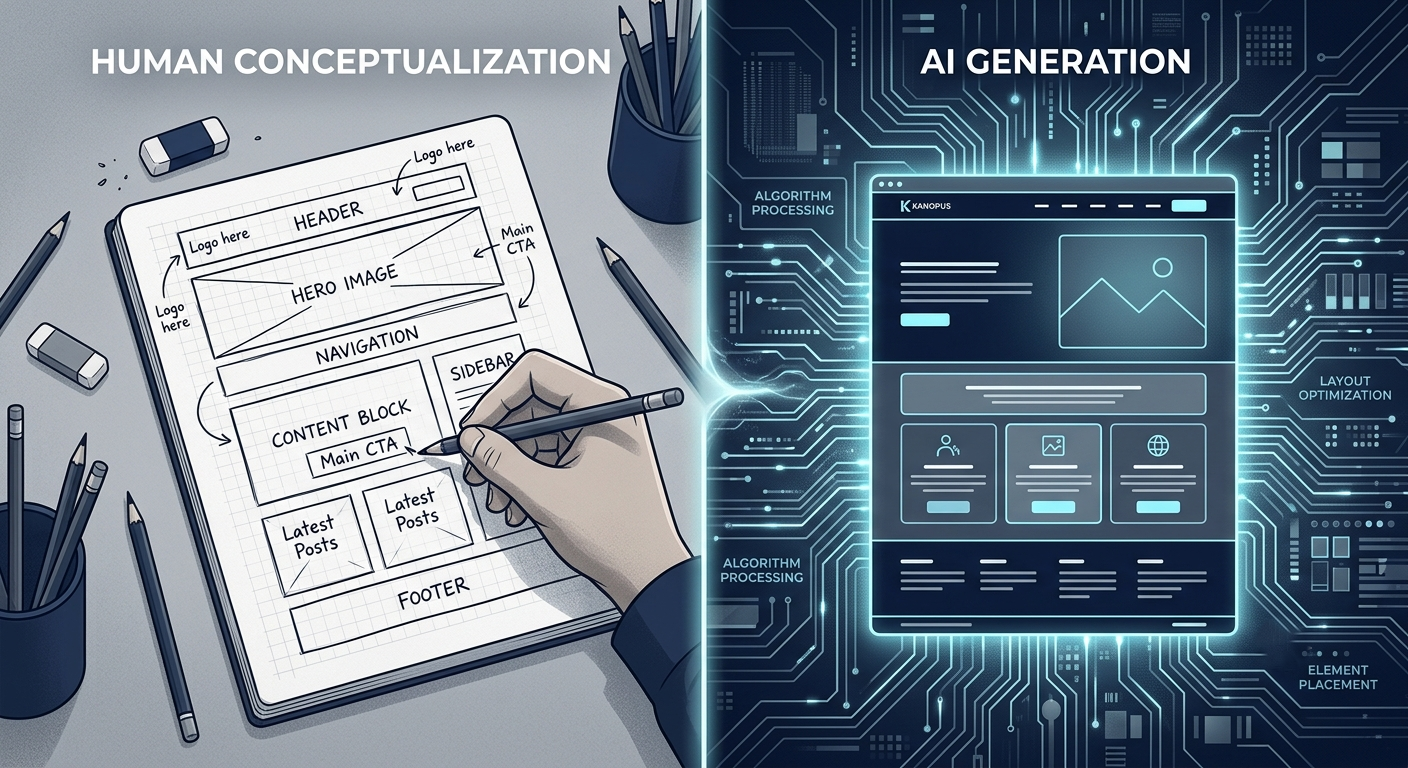
A few years ago, building a WordPress website meant weeks of back-and-forth over wireframes, page layouts, and copy revisions. In 2026, a good chunk of that process happens in minutes. AI page builders draft layouts instantly, AI writers produce first-draft copy, and AI image generators fill placeholder spaces that used to sit empty for days while everyone waited on stock photo approvals.
But here’s what most agencies won’t tell you upfront: AI hasn’t replaced WordPress development. It’s changed which parts of the job actually matter. The websites that stand out in 2026 aren’t the ones built fastest with AI, they’re the ones where AI speed is paired with human judgment on structure, security, and brand fit.
WordPress alone still powers a huge share of websites on the internet, and that scale is exactly why AI tool developers have invested so heavily in building plugins, page builders, and assistants specifically for the platform. The tools genuinely are more capable than they were even a year or two ago. The question worth asking isn’t whether these tools work, it’s where they should be trusted to work unsupervised, and where they shouldn’t.
If you’re planning a WordPress website this year, it helps to know exactly where AI genuinely helps, and where skipping a human developer will cost you more than it saves.
What AI Actually Does in WordPress Development Today
Most AI use in WordPress development today falls into five categories: AI-assisted page building tools that suggest layouts based on a content brief, AI writing assistants that generate first-draft copy for pages and blog posts, AI image and graphic generation for hero banners and product visuals, AI chatbots and support plugins that handle basic customer questions on the front end, and AI code assistants that help developers write and debug custom PHP, theme files, and plugin logic faster on the back end.
None of these tools build a finished website on their own. They compress the first-draft stage, the part of a project that used to eat the most calendar time, so more of the project timeline can go toward decisions that actually shape how the site performs.
Where AI Genuinely Speeds Things Up
AI content assistants are useful for first-draft service page copy, meta descriptions, and blog outlines, giving writers and developers a starting point instead of a blank page. AI-generated images fill early mockups so clients can react to layout and tone before final photography or custom graphics are ready.
AI-assisted debugging tools catch syntax issues and suggest fixes faster than manually scanning through code, which shortens development cycles on custom plugin work. AI-powered chat widgets can now handle a meaningful share of routine visitor questions, pricing ranges, service areas, business hours, without a live agent needing to be online around the clock.
Where AI Still Falls Short
AI page builders tend to produce layouts that look familiar because they’re trained on thousands of existing websites. Left unchecked, that means AI-first builds often end up looking like every other AI-first build: clean, but forgettable. A developer who understands your brand and your customer’s actual browsing behavior still makes the difference between a website that looks fine and one that converts.
Security is another area where AI tools fall short on their own. WordPress powers a huge share of the web, which makes it a constant target, and AI code suggestions don’t automatically account for the specific vulnerabilities a plugin combination might introduce. Custom architecture decisions, how a site should handle a growing product catalog, complex user roles, or integrations with internal business systems, still require a developer who understands the full picture, not just the immediate prompt.
Accessibility is often missed too. AI-generated layouts don’t reliably account for screen reader compatibility, color contrast, or keyboard navigation unless someone is specifically checking for it.
How Businesses Are Actually Using AI-Enhanced WordPress in 2026
The practical use cases go beyond the build phase. Businesses are adding AI-powered search bars that understand natural language questions instead of exact keyword matches, so visitors find the right page even when they phrase a search oddly. AI-driven content recommendations are showing up on content-heavy WordPress sites, surfacing relevant pages based on browsing behavior.
Some businesses use AI to draft blog content at scale, then have it edited and fact-checked by a real writer before publishing, which keeps content output high without sacrificing accuracy or search rankings.
What a Well-Balanced AI-Assisted Build Actually Looks Like
In practice, a well-run WordPress project in 2026 usually starts with AI compressing the research and drafting work: competitor page summaries, a rough content outline for each service page, and placeholder imagery so a client can react to layout and tone almost immediately instead of waiting on a first design round. From there, a designer adjusts the layout to fit the brand rather than accepting the AI’s default suggestion outright, a writer rewrites the AI draft in the client’s actual voice instead of publishing it as-is, and a developer builds the site with attention to load speed, security, and how the backend will hold up as content and traffic grow.
The result looks nothing like a website assembled purely from AI prompts. It looks like a normal, well-built WordPress site, just one that got built faster because the early, repetitive parts of the process no longer consumed as much of the project timeline as they used to. Clients still see wireframes, still approve design directions, and still get a site built around their specific business, not a generic template with different text swapped in.
The Business Risk of Skipping the Human Layer
The businesses that run into trouble are usually the ones that treat AI output as a finished product instead of a first draft. Publishing AI-written page copy without a real editing pass often produces content that reads as generic, the kind of writing that doesn’t actually differentiate a business from its competitors even when every sentence is grammatically correct and technically on-topic.
Security is the bigger risk. A WordPress site assembled quickly with AI-suggested plugins and minimal review can end up carrying vulnerabilities nobody caught, because AI tools don’t reliably flag conflicts between plugins, outdated dependencies, or misconfigured permissions the way an experienced developer does during a proper build and testing phase. For a business that depends on its website for leads or sales, that’s a risk worth taking seriously before launch, not after something goes wrong and the site goes down or gets flagged by Google for a security issue.
What This Means If You’re Planning a WordPress Website
If an agency is pitching a website built almost entirely through AI tools with minimal human involvement, ask specifically how they handle security review, brand differentiation, and accessibility, three areas AI still doesn’t reliably cover on its own. The better question to ask isn’t whether an agency uses AI, most do, to some degree, now, it’s how they combine AI speed with actual development expertise so your website doesn’t end up looking like a template with your logo dropped on top.
It’s also worth asking how the agency handles ongoing maintenance once AI has helped speed up the initial build. A fast launch doesn’t mean much if nobody is reviewing plugin updates, monitoring for security issues, or checking that AI-assisted content is still accurate six months later. The businesses getting the most value out of AI-enhanced WordPress development in 2026 are the ones treating it as a productivity tool inside a proper development process, not a replacement for one.
Looking Ahead: Where WordPress and AI Are Headed
Expect AI tools inside WordPress to keep getting better at the narrow, well-defined tasks they’re already good at, first drafts, image generation, routine debugging, basic chat support, rather than suddenly becoming capable of independently making the judgment calls a developer makes throughout a project. That’s a good thing for businesses. It means the return on investing in AI-assisted development will keep improving on speed and cost, without requiring a business to gamble its website’s security or brand identity on a fully automated process.
For now, and for the foreseeable future, the smartest approach remains the same one skilled agencies already use elsewhere: let AI handle the repetitive first pass, and keep an experienced developer in charge of everything that determines whether the finished website actually works for the business it was built for.
A Quick Checklist Before You Start Your WordPress Project
Before kicking off a new build or a redesign, it helps to walk through a short list with whoever is building the site: who reviews AI-generated content before it’s published, who is responsible for security testing before launch, how accessibility will be checked across the finished pages, and what the plan is for keeping plugins and themes updated after the site goes live. None of these questions require deep technical knowledge to ask, and the answers tell you a lot about whether an agency is using AI responsibly or just using it to cut corners.
The Bottom Line for Businesses Weighing Their Options
AI has genuinely made WordPress development faster and, in some ways, more accessible than it used to be. That’s a real benefit, not marketing spin. But speed was never the hardest part of building a good website, judgment was. Knowing which plugins to trust, how to structure a site so it scales, how to make a brand feel distinct rather than templated, and how to keep a site secure over years of updates and growth. Those remain human skills, and they’re the ones worth paying an experienced team for, regardless of how much AI has sped up everything around them.
Frequently Asked Questions
It can reduce time spent on early drafts like layout mockups and first-pass copy, but overall cost still depends on custom development, security work, and design decisions that AI tools don't handle reliably on their own. Most of the savings show up in timeline rather than a dramatically lower final price.
AI tools can generate a basic site structure, but launching a secure, brand-specific, fully functional website still requires a developer to handle custom coding, plugin configuration, testing across devices, and quality checks AI tools don't reliably catch on their own.
Not automatically. AI-written content still needs proper on-page SEO structure, internal linking, and technical optimization, which most AI page builders don't configure correctly out of the box, and generic AI copy often underperforms content written with a specific audience and search intent in mind.
Unlikely in the near term. AI speeds up specific tasks like drafting and debugging, but security, custom architecture, and brand-specific design decisions still need experienced developers who understand the full context of a project, not just an isolated prompt.
We use AI tools to speed up first drafts, layout options, and routine debugging, then apply human review for security, custom functionality, accessibility, and brand fit before anything goes live, so speed never comes at the cost of quality.