

Contact Us +91 79925 99257



Written by Kalpesh Prajapati
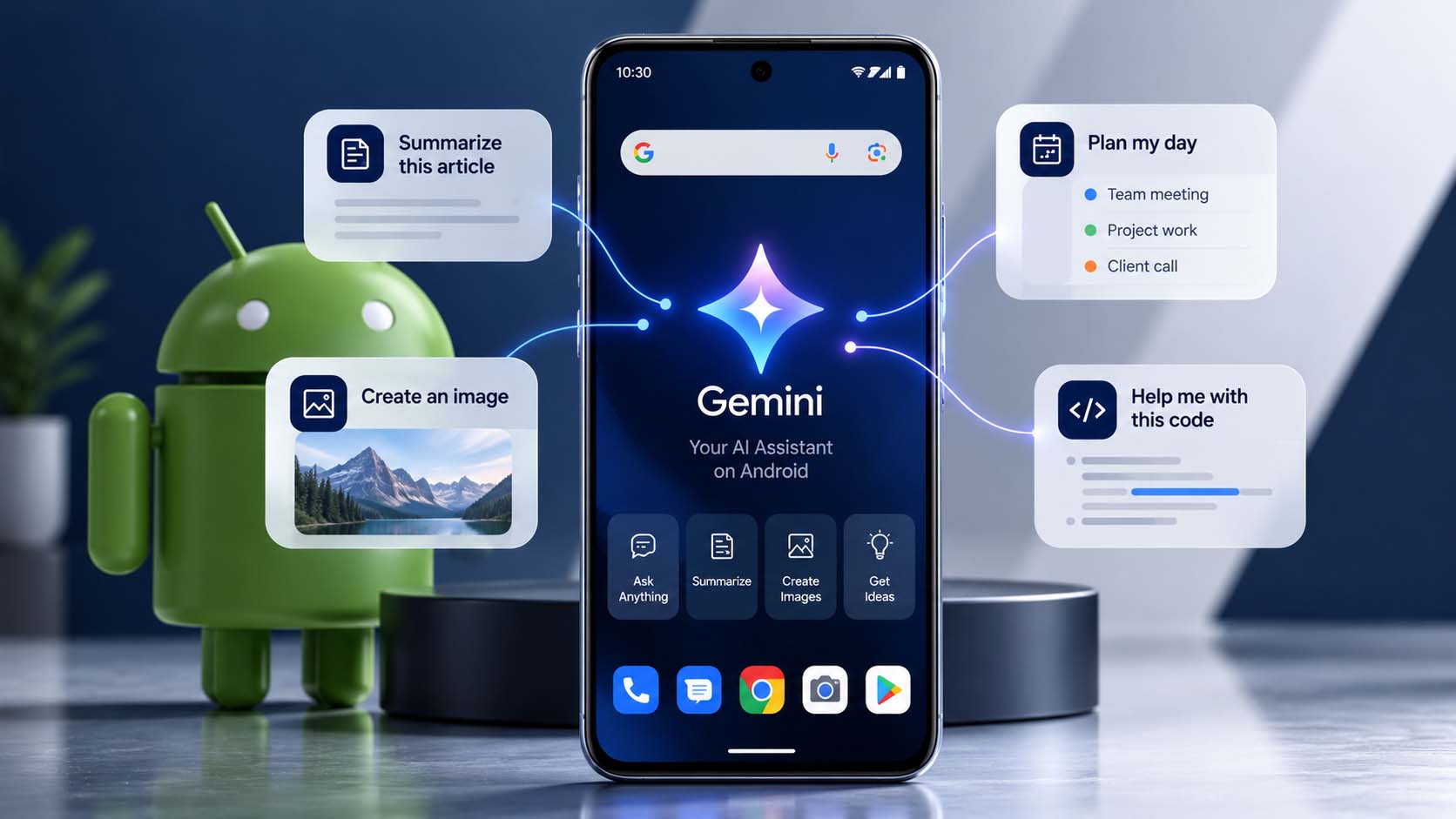
Google has spent the past few years embedding AI directly into Android at the system level, not just as a feature inside individual apps, but as a capability baked into the platform itself. Gemini now sits alongside core Android functionality, and on-device machine learning tools have become a standard part of what the operating system offers developers out of the box. For businesses building an Android app in 2026, this shift changes both what’s realistically possible and what users have started to expect.
The practical question for most businesses isn’t whether to engage with this shift, it’s which specific AI capabilities genuinely improve their app, and which ones would just be adding complexity without adding real value for users. Getting that distinction right from the start saves both development budget and the risk of shipping a feature nobody actually uses.
Android’s system-level AI capabilities now include Gemini-powered assistance accessible across apps, on-device machine learning through ML Kit for tasks like text recognition and object detection, and smart suggestion frameworks that let apps offer contextually relevant actions without building that intelligence from scratch. Google continues to expand what’s available through its developer APIs, which means capabilities that once required a business to build and train their own model are increasingly available as a pre-built, well-tested platform feature.
Businesses building Android apps can now tap into genuinely sophisticated AI capabilities without the cost and complexity of building and training custom models from the ground up. This lowers the barrier significantly for adding features like smart search, content summarization, or image recognition, capabilities that a few years ago were only realistic for large companies with dedicated machine learning teams.
It also raises the baseline for what users expect. An app that doesn’t offer any of the smart, context-aware behavior users have grown accustomed to elsewhere on their phone can start to feel noticeably dated, even if its core functionality works perfectly well.
Android’s on-device AI processing, running machine learning models directly on the phone rather than sending data to a server, offers real advantages: faster response times since there’s no network round-trip, functionality that works without an internet connection, and stronger privacy since sensitive data doesn’t need to leave the device. Google’s continued investment in on-device AI chips and frameworks has made this increasingly viable for more sophisticated features than was possible even a couple of years ago.
For businesses building apps that handle sensitive information, health data, financial details, personal communications, on-device AI processing is often the more responsible choice, both for user trust and for simplifying compliance with data privacy expectations.
Common additions include AI-powered search that understands natural language queries rather than requiring exact keyword matches, smart content recommendations based on user behavior, AI chat support for handling routine customer questions, and image or document recognition features for tasks like visual product search or automated form filling. Each of these can now be built using Android’s native AI frameworks rather than requiring a separate, custom-built machine learning pipeline.
Not every AI capability Android makes available is automatically a good fit for every app. Features need to be tested across Android’s enormous range of devices, since performance can vary meaningfully between a budget phone and a flagship, particularly for on-device AI processing that depends on the phone’s own hardware capabilities. It’s also worth being deliberate about which features genuinely solve a user problem versus which ones are being added simply because the capability now exists and seems easy to include.
On-device AI features generally avoid the ongoing per-use costs associated with cloud-based AI services, since processing happens locally rather than through a paid API call. This makes on-device capabilities particularly attractive for features used frequently by a large user base, where cloud API costs could otherwise scale unpredictably. Cloud-based AI remains necessary for more complex tasks that exceed what a phone can process efficiently on its own, but understanding this cost tradeoff upfront helps businesses plan realistic long-term budgets for AI-powered features.
We start by identifying genuine user friction points, slow search, repetitive support questions, tedious manual data entry, before deciding whether an AI feature is the right solution. Where it is, we default to Android’s native on-device AI tools first, reaching for cloud-based services only where the task genuinely requires more processing power than a phone can handle efficiently. This keeps both cost and complexity proportional to the actual value a feature delivers to users.
Android and iOS have taken noticeably different public approaches to AI, with Google integrating Gemini visibly across the operating system’s interface and Apple leaning more heavily on quieter, on-device intelligence woven into existing features. For developers, this means Android’s AI capabilities are often more immediately visible and accessible through developer-facing APIs, while still offering the same on-device processing advantages Apple emphasizes on iOS. Businesses building for both platforms should expect some differences in how AI features need to be implemented and presented, even when the underlying goal, a smarter, more helpful app experience, is the same.
Before committing budget to an AI feature, it helps to have clarity on a few things: which specific user problem the feature is meant to solve, whether on-device or cloud-based processing fits the use case better given cost and privacy considerations, and how the feature will be tested across Android’s genuinely wide range of devices rather than just the newest flagship phones. Skipping this groundwork is one of the more common reasons AI features end up feeling unreliable or inconsistent once real users across a range of devices start relying on them.
Google’s investment in Android’s AI capabilities shows no sign of slowing, and the gap between apps that use these tools well and apps that ignore them entirely is likely to keep widening over the next few years. Businesses that start building this muscle now, identifying genuine use cases, testing thoroughly, implementing thoughtfully, will be far better positioned than those that wait until AI features feel mandatory rather than optional.
It’s worth resisting the temptation to add every available AI capability simply because Android now makes it technically straightforward. The apps that benefit most from AI are the ones where a specific, clearly identified user frustration gets genuinely resolved, not the ones that pack in the longest list of AI-branded features. A business considering AI for its Android app should be able to articulate exactly which existing frustration a proposed feature solves before committing development budget to building it.
AI is no longer an experimental add-on for Android apps, it’s becoming an expected part of a genuinely modern app experience. Businesses that approach this shift thoughtfully, starting with real user needs rather than available technology, stand to gain a meaningful advantage over competitors still treating AI as an optional extra rather than a core part of how their app should work.
As more apps across every category adopt genuinely useful AI features, user tolerance for apps that feel static and unresponsive by comparison continues to shrink. This isn’t about keeping up with trends for their own sake, it’s about recognizing that the baseline for a well-functioning, modern app has genuinely moved, and apps that don’t move with it risk feeling outdated even when their core functionality hasn’t changed at all.
Because Android spans such a wide range of hardware, from budget devices with limited processing power to the latest flagship phones, any AI feature needs real testing across that full spectrum before launch, not just on whatever device happens to sit on a developer’s desk. A feature that runs smoothly on a high-end phone can lag noticeably or behave inconsistently on a mid-range device actually used by a large share of a business’s customers, particularly in price-sensitive markets like India where budget and mid-range devices make up a significant portion of active users.
The businesses winning with AI on Android in 2026 aren’t necessarily the ones with the biggest development budgets, they’re the ones paying closest attention to what their actual users struggle with, and matching that specific friction to a capability Android’s AI tools now make genuinely accessible.
Budget spent on AI features should be weighed against the same return-on-investment thinking applied to any other feature decision: how many users will actually interact with this regularly, how much does it cost to build and maintain, and what measurable difference does it make to retention, engagement, or conversion. AI features that can’t clear this bar are worth reconsidering, regardless of how technically impressive they might be to build.
Not every app needs AI features, but for apps involving search, recommendations, or support, AI can meaningfully improve the user experience when it solves a genuine problem rather than being added for its own sake.
Mostly, though performance and the specific capabilities available can vary across the wide range of Android hardware in active use, so testing across representative devices remains important.
Costs depend on whether features use on-device or cloud-based AI, and ongoing API usage if applicable. Contact Kanopus Web Solutions for a quote tailored to your specific project.
Generally yes, since on-device processing means sensitive data often doesn't need to leave the phone, which reduces exposure compared to sending data to an external server.
Well-implemented on-device AI is generally lightweight, but performance should be tested across a range of devices, since Android's hardware diversity means results can vary more than on a single-device platform.
If you’re planning to add AI features to an Android app, Kanopus Web Solutions can help you identify which capabilities genuinely fit your users before development begins, with testing built in across a genuinely representative device range. Call +91 79925 99257 or email info@kanopuswebsolutions.com.